

Why do some file types use both three and four-letter extensions?
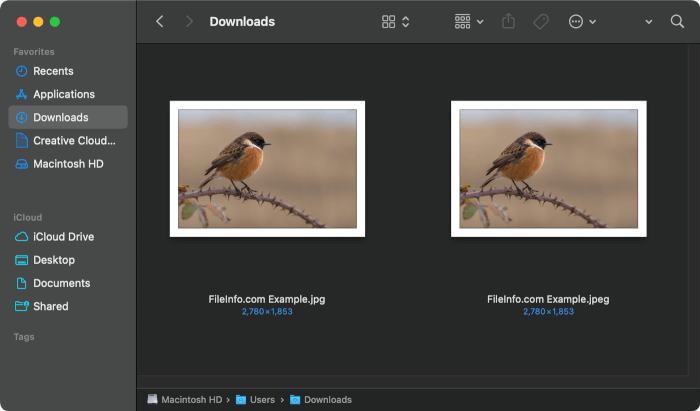
Most file types correspond to a single file extension. For example, Portable Network Graphics files always use the .PNG file extension. In some cases, however, file types use three-letter and four-letter extensions interchangeably. For example, the only difference between a .JPG file and a .JPEG file is their file extensions. If you swapped the files' extensions, they would open (and otherwise behave) the same way.
The origin of three-letter file extensions
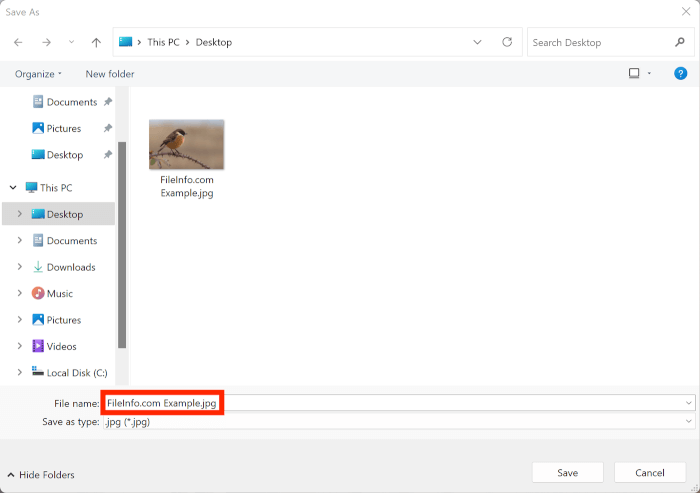
Early versions of Windows limited file extensions to three or fewer characters. Thus, most files created by early Windows programs used three-letter extensions. This is why, for example, JPEG files commonly use the .jpg extension.
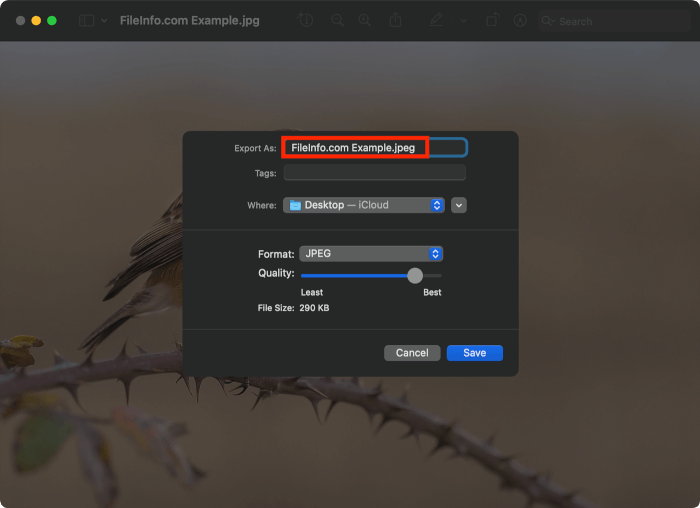
Initially, Classic Mac OS did not use file extensions at all. When Classic Mac OS did start using extensions to identify files, it allowed files to have longer extensions. Thus, JPEG files saved on a Mac could (and did) use the .jpeg extension.
Because Windows became the most popular PC operating system, three-letter extensions became more common and accepted than their four-letter counterparts. For this reason, many popular file types still primarily use three-letter extensions (even though Windows and macOS both now allow longer extensions).
Popular file types that use three and four-letter extensions
JPEG files are not the only type of files that use both three and four-letter extensions. Others include:
- TIFF Image Files - .TIF and .TIFF
- PICT Image Files - .PCT and .PICT
- MPEG Video Files - .MPG and .MPEG
- MIDI Music Files - .MID and .MIDI
- AIFF Audio Files - .AIF and .AIFF
- WAVE Audio Files - .WAV and .WAVE
- HTML Webpage Files - .HTM and .HTML
While these interchangeable extensions can be confusing, most programs that recognize a file type's three-letter extension also recognize its four-letter extension. Regardless of whether a JPEG file is saved with the .jpg or .jpeg extension, you should be able to open it with any popular image viewer. If you can't open a file because it has the alternate extension, you can always try changing its extension to the other version.