

What is a file extension?
 A file extension is the suffix following the dot at the end of a filename, such as .txt, .jpg, and .zip. The file extension indicates the file type of the corresponding file.
For example, the ".txt" extension of the filename "Article.zip" displayed on the left indicates it is a plain text file. Similarly, "Mountain.jpg" is a JPEG image file, and "Archive.zip" is compressed archive.
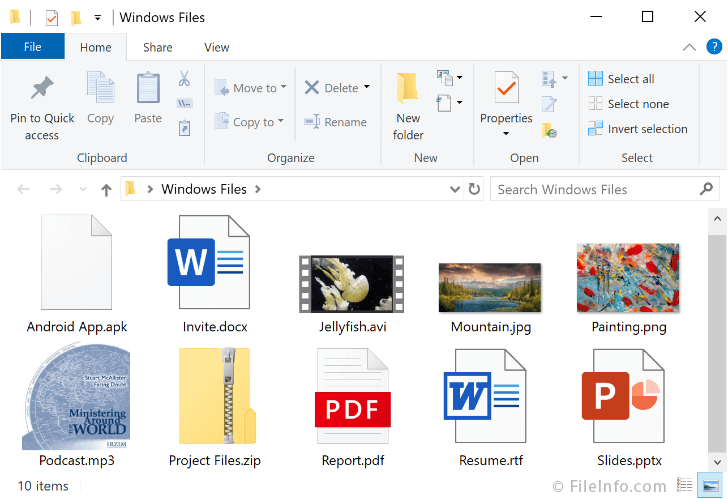
Learning the most commonly used file extensions will enable you to better identify common file types. Below are screenshots of common file extensions in Windows and macOS:
Windows
macOS
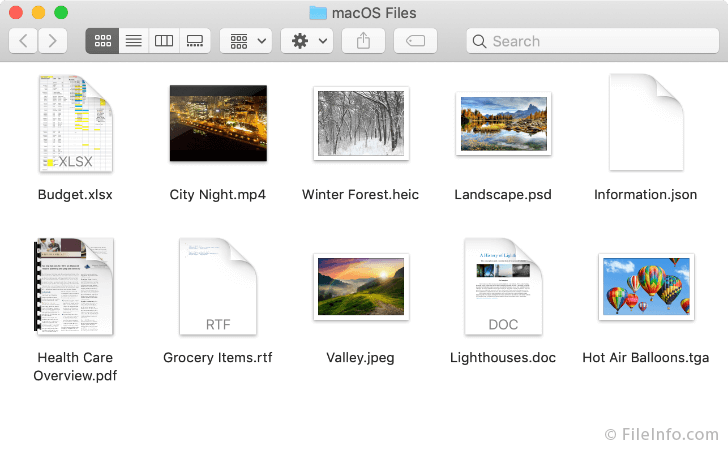
While most file extensions consist of three characters (.PDF, .MPG, .APK), some have fewer (.H, .DB, .PS), and others have more (.DOCX, .PAGES, .CRDOWNLOAD).
When you double-click a file, your computer uses the file extension to determine what program should open it. The connection between a file extension and the default program that opens it is called a file association. You can change file associations in both Windows and macOS.
Showing and Hiding File Extensions
Some operating systems do not display file extensions by default. Therefore you may need to enable the "Show File Extensions" option. You can easily change this setting in Windows and macOS.
Changing File Extensions
You can manually change the file extension by clicking on the filename. This may be helpful if your file was incorrectly named or accidentally changed. However, if you manually change a file extension, it will alter what program your computer uses to open the file. Therefore, you should only change a file extension if you know it is incorrect. If you assign an invalid extension to a file, your computer may not be able to open it.
For example, if you change a ".txt" file extension to a ".jpg", your computer may try to open the file with an image viewer rather than a text editor when you double-click it. The image viewer will most likely produce an error saying it does not recognize the file.
Unknown File Extensions
There are more than ten thousand file types, and therefore, over ten thousand file extensions. While it is helpful to learn the most commonly used file extensions, it is not practical to try and remember them all. If you come across a file extension you don't recognize, visit FileInfo.com to find out what kind of file it is and what programs can open the file.