

CyberLink PowerProducer
| Version | 6(as of 12/9/2020) |
| Platform | Windows |
| License | Commercial |
| Category | Video |
Main Features
- Create Hollywood-style, professional-quality movies
- Supports VCD, DVD, Blu-ray, and AVCHD formats
- Includes automatic touch-up and movie production tools
- Allows custom editing and sequencing of slideshows
- Supports many digital audio and video file formats
- Right-to-Disc burns streaming media directly to a disc
Software Overview
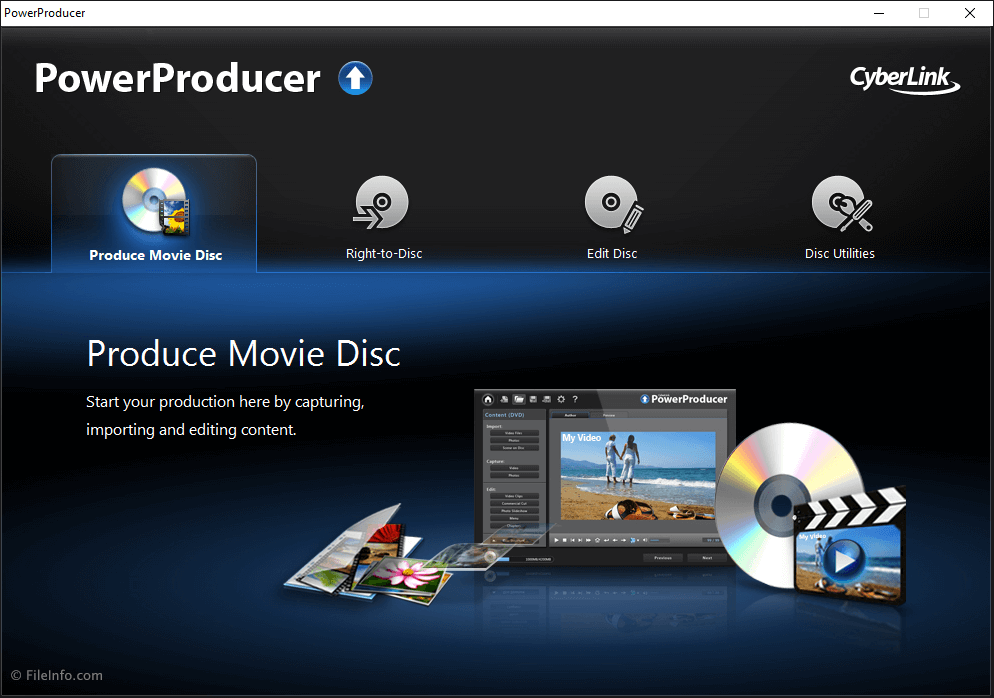
CyberLink PowerProducer is a disc-authoring application that allows you to edit and publish home videos to DVDs and Blu-ray discs. The application provides tools for editing your video, burning video to discs, and manage disc content. CyberLink no longer develops PowerProducer.
PowerProducer supports Blu-ray, DVD, AVCHD, AVCREC, and CD video formats. The video editor features Hollywood-style movie production tools for home users. The software includes several professionally designed HD menu templates that can be used to quickly make a video disc into a professional-quality movie. It provides authoring tools for adding interactive menus, music, and themes to movies. It also includes features such as a "Magic Movie Wizard," which automatically touches up digital video content and fixes shaky video, poor lighting, and red-eye issues. The wizard can also be used to apply user-selected themes and add pan and zoom effects to photos.
PowerProducer's "Right-to-Disc" feature supports burning videos directly to a disc without first storing them on the hard drive. This allows users to capture real-time videos from a camcorder or other video input source and burn them directly to a disc. These videos can be saved as standalone movies or included as part of a larger movie production. PowerProducer can also edit existing movies that are saved to rewritable discs. Its built-in disc utilities can erase, copy, export to a disc image, or finalize discs for video player compatibility. PowerProducer can also save disc files in the proprietary .RDF format, which can be reopened for later editing. Once completed, movies can be burned to DVD, Blu-ray, and other disc formats.
Summary
CyberLink PowerProducer is a useful program for capturing, editing, and producing personal movies. It provides professional production tools and convenient disc burning features. It is also a good option for watching movies and slideshows on home entertainment systems and for sharing videos with friends and family. Although it’s not as powerful as other video editors, it’s a reasonable option for the price.
Primary File Type
 .PPPCyberLink PowerProducer Project
Supported File Types
| Extension | File Type |
|---|---|
| .PPP | CyberLink PowerProducer Project |
| .3G2 | 3GPP2 Multimedia File |
| .3GP | 3GPP Multimedia File |
| .ASF | Advanced Systems Format File |
| .AVI | Audio Video Interleave File |
| .BMP | Bitmap Image |
| .DAT | VCD Video File |
| .DVR-MS | Microsoft Digital Video Recording |
| .DZM | DirectorZone Menu Template |
| .FLV | Flash Video |
| .GIF | Graphical Interchange Format File |
| .JPG | JPEG Image |
| .JTS | Cyberlink AVCHD Video File |
| .M2T | HDV Video File |
| .M2TS | Blu-ray BDAV Video File |
| .MKV | Matroska Video |
| .MOV | Apple QuickTime Movie |
| .MP3 | MP3 Audio |
| .MP4 | MPEG-4 Video |
| .MPG | MPEG Video |
| .MTS | AVCHD Video |
| .PDS | PowerDirector Script File |
| .PNG | Portable Network Graphic |
| .PPP | CyberLink PowerProducer Project |
| .RDF | PowerProducer Disc Image |
| .TIF | Tagged Image File |
| .TOD | JVC Everio Video Capture File |
| .TPD | Cyberlink TOD Video File |
| .TS | Video Transport Stream File |
| .VOB | DVD Video Object File |
| .VRO | DVD Video Recording Format |
| .WAV | WAVE Audio |
| .WMA | Windows Media Audio |
| .WMV | Windows Media Video |
| .WTV | Windows Recorded TV Show File |
Additional Related File Types
| Extension | File Type |
|---|---|
| .JPEG | JPEG Image |
| .MOD | Camcorder Recorded Video File |
| .MPE | MPEG Movie File |
| .MPEG | MPEG Video |
| .TIFF | Tagged Image File Format |