

.RWC File Extension
RapidWeaver Classic Project
| Developer | Realmac Software |
| Popularity |
3.0 | 1 Vote |
What is an RWC file?
An RWC file is a website project created by RapidWeaver Classic, a macOS application developed by Realmac Software to create websites. It contains page content, site structure, theme settings, publishing information, resources, and references to images and other assets used by the website. RWC files are editable projects that allow users to continue designing, organizing, and publishing the site over time.
More Information

The RWC file is the primary project format used by RapidWeaver Classic. Realmac Software introduced it to replace earlier RapidWeaver project formats, such as .RWSW and .RW3 files, while maintaining compatibility with existing workflows and add-ons. When users open older RapidWeaver projects in RapidWeaver Classic, the application creates a copy RWC file so editing can continue without modifying the original project file.
Web designers, freelancers, hobbyists, and developers who build websites with RapidWeaver Classic’s visual editing environment are most likely to encounter RWC files. Although an RWC file appears as a single file in Finder, it is stored in the macOS package structure and contains multiple, organized files and folders that store project data.
How to open an RWC file
You can open RWC files with Realmac RapidWeaver Classic in macOS. To open an RWC file with RapidWeaver Classic, select . After opening the project, you can edit pages, manage themes and resources, preview the site, and publish the finished website.
Opening an RWC file as a macOS package
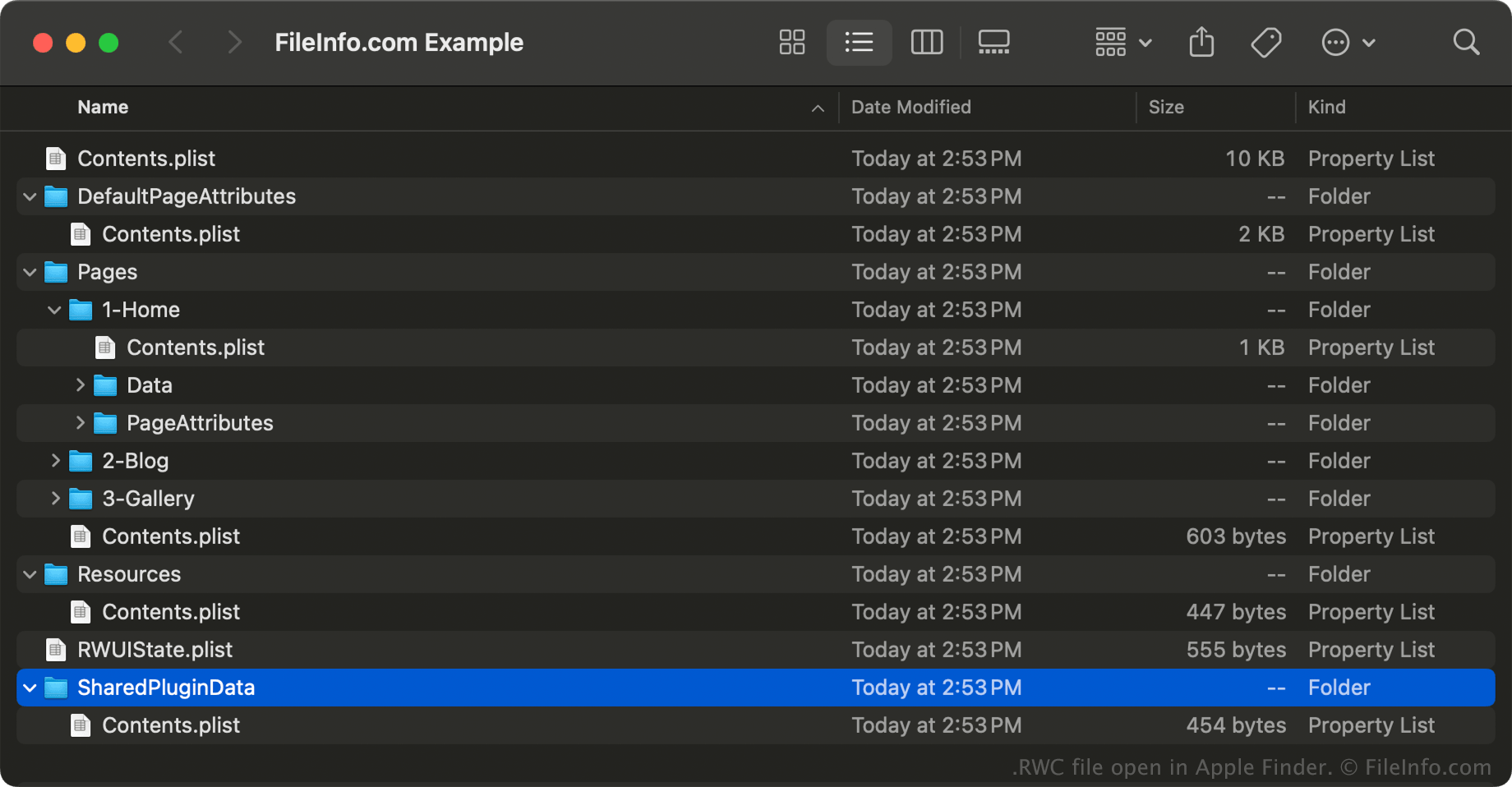
In macOS, you can open an RWC file without RapidWeaver Classic by right-clicking the file and selecting to view the package's directories and files with Apple Finder. Files you may find stored within an RWC file include .PLIST, .TXT, and .AS files.
NOTE: Modifying the contents in an RWC file may break the project.