

Adobe Photoshop Elements
| Version | 2022(as of 2/25/2022) |
| Platforms | Windows, Mac |
| License | Commercial |
| Category | Graphics |
Main Features
- Affordable, advanced digital photo and image editing capabilities
- Home screen with tutorials and ideas to help you create
- Streamlined, intuitive workflows and photo organization
- Intelligent automated editing and step-by-step guidance
- Creative showcasing options include collages and calendars
- Removes camera shake in photos to reduce blurriness
Software Overview
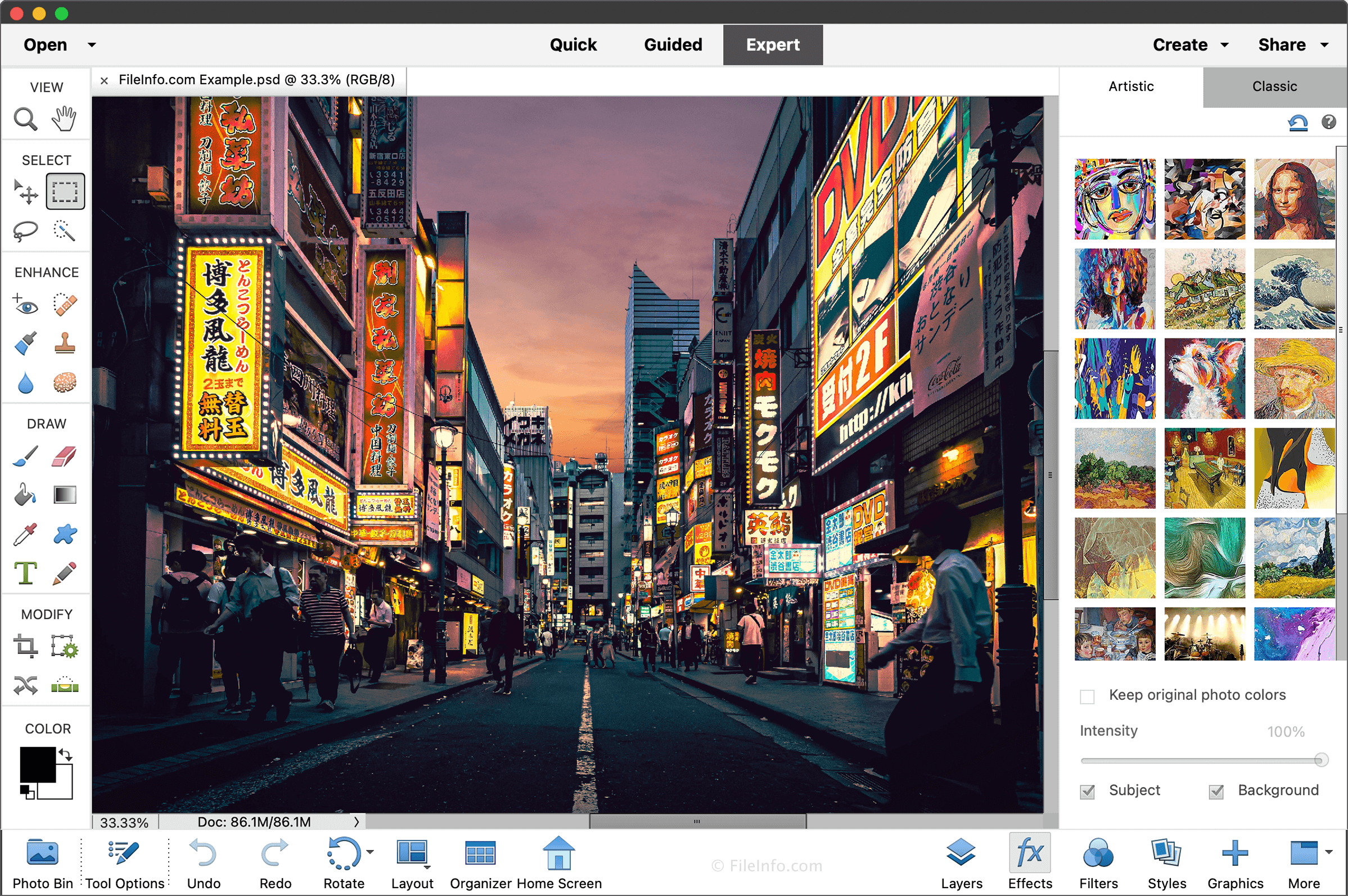
Adobe Photoshop Elements is a raster graphics editing program developed for amateur photographers that do not need all of the advanced tools included with the more expensive Adobe Photoshop. While it is not as powerful as Photoshop, it supports layer-based editing, filters, different color modes, and many image and camera RAW formats.
Photoshop Elements includes a variety of image editing capabilities for modifying digital photos. Using color adjustments, filters, and lighting effects, you can easily reduce and remove shadows and enhance picture foregrounds. You can also replace backgrounds to create new scenes, remove camera shake blurriness, and design text with images. Besides advanced editing tools, Photoshop Elements supports many camera RAW formats, including .CR2, .CRW, .DCR, .DNG, .ERF, .MEF, .MOS, .MRW, .NEF, .ORF, .RAF, .SRF, .X3F, and .3FR. Each of these types can be imported, edited, and then exported to various raster image formats.
Another useful aspect of Photoshop Elements is its intuitiveness. It provides a Home screen with tutorials and ideas to help you get started and perfect your creations, and you can organize imported photos by people, dates, subjects, and places. Then, when you finish editing your artwork, you can display it in unique ways, including collages, scrapbook pages, calendars, and cards. You can also view and share your photos anywhere on your tablet or smartphone with the mobile albums feature.
Summary
Photoshop Elements is perfect for amateur photographers that don’t need all of the advanced features of the full version of Photoshop. While it is leaner than Photoshop, it still offers helpful image editing capabilities and supports many camera RAW and image formats. So if you would like to save some money and do not need all of the professional tools included with Photoshop, try Adobe Photoshop Elements.
Primary File Type
 .PSDAdobe Photoshop Document
Supported File Types
| Extension | File Type |
|---|---|
| .PSD | Adobe Photoshop Document |
| .3FR | Hasselblad 3F RAW Image |
| .ARW | Sony Alpha Raw Digital Camera Image |
| .BMP | Bitmap Image |
| .CR2 | Canon Raw 2 Image |
| .CRW | Canon Raw CIFF Image File |
| .DCR | Kodak Digital Camera RAW Image |
| .DIB | Device-Independent Bitmap Image |
| .DNG | Digital Negative Image |
| .ERF | Epson RAW File |
| .FFF | Hasselblad RAW Image |
| .GIF | Graphical Interchange Format File |
| .HEIC | High Efficiency Image Format |
| .IIQ | Phase One RAW Image |
| .JPG | JPEG Image |
| .KDC | Kodak Photo-Enhancer File |
| .MEF | Mamiya RAW Image |
| .MOS | Leaf Camera RAW Image |
| .MRW | Minolta Raw Image |
| .NEF | Nikon Electronic Format RAW Image |
| .NRW | Nikon Raw Image |
| .ORF | Olympus RAW File |
| .PDD | Adobe PhotoDeluxe Image |
| Portable Document Format File | |
| .PDP | Adobe Portable Document Format File |
| .PEF | Pentax Electronic File |
| .PNG | Portable Network Graphic |
| .PNS | PNG Stereo Image |
| .PSE | Photoshop Elements Photo Project |
| .PXR | Pixar Image File |
| .RAF | Fujifilm RAW Image |
| .RAW | Raw Image Data |
| .RLE | Run Length Encoded Bitmap |
| .RW2 | Panasonic RAW Image |
| .RWL | Leica RAW Image |
| .SR2 | Sony RAW Image |
| .SRF | Sony RAW Image |
| .SRW | Samsung RAW Image |
| .TIF | Tagged Image File |
| .X3F | SIGMA X3F Camera RAW File |